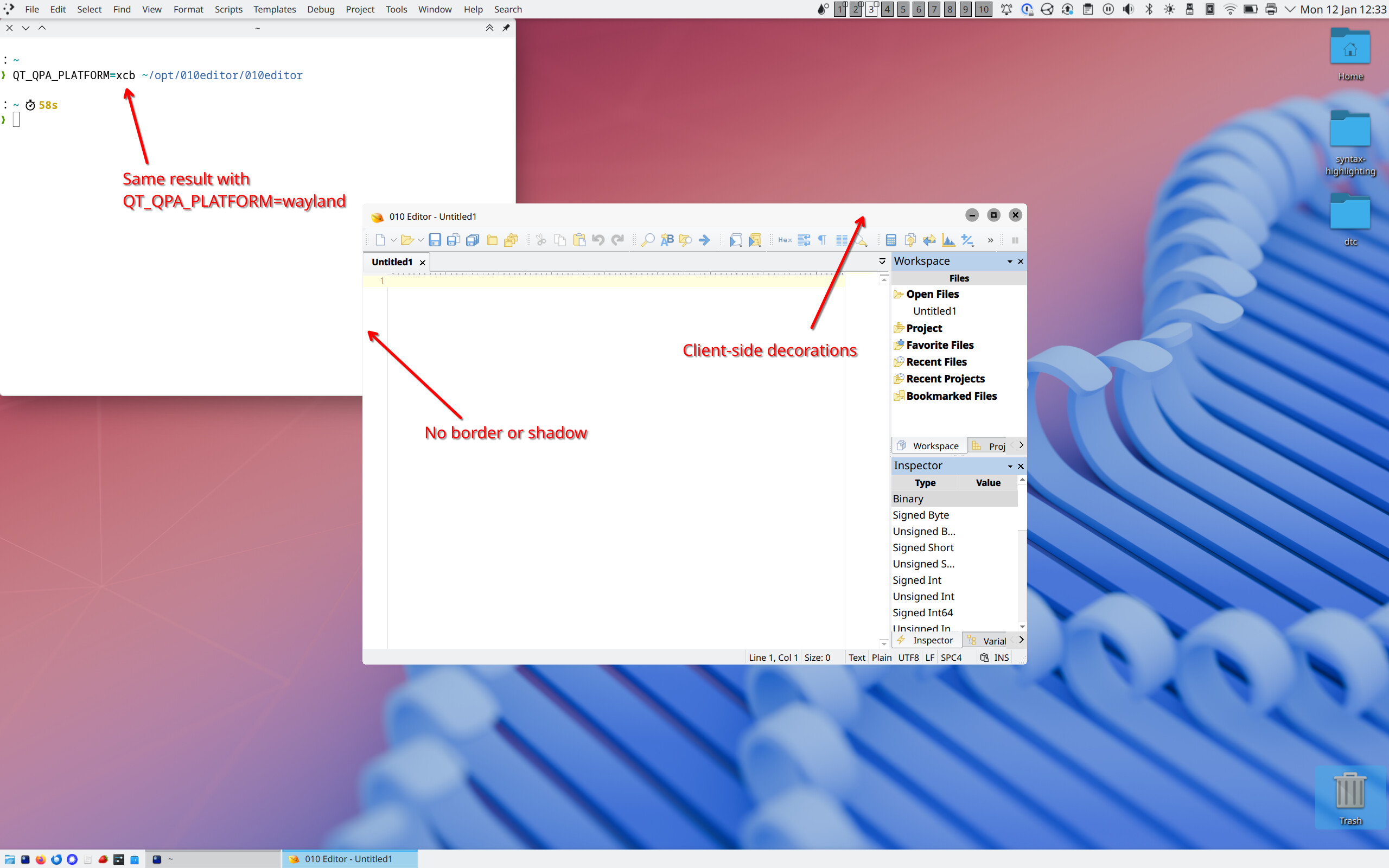
I just downloaded 010editor v16.0.2 for Linux and noticed that it no longer draws a window border/shadow. Also the window title bar looks different than all my other windows, and the controls are on the wrong side. This happens with both xcb and wayland QPA backends.
If I recall correctly, older versions had a normal window frame. Is there any way to get that back, or at least get a proper window border and shadow? Thanks!
For version 16, we switched to custom drawing for the title bar so that we could have tabs directly in the title bar. There is currently no way to go back to the old way of drawing with the new version. We may add the ability to support both types of drawing in the future but it is a significant amount of work to support both ways. We also had to switch to doing our own custom drawing of the shadow behind the main window. This shadow seems to work on most systems, but on some systems, especially wayland, it does not draw properly. Which window manager are you using? (XDG_CURRENT_DESKTOP) We had to turn the shadow off for certain managers as it was causing problems but we may be able to fix it for certain managers.
Drawing the shadow would definitely improve things for me. For now I’ve downgraded to version 15 (and modified the .desktop files to prepend env QT_QPA_PLATFORM=xcb to the Exec= value).
I do hope you’ll consider allowing the user to turn off client-side decorations. I know it’s more work, but the small but growing subset of Linux users who don’t use GNOME and have opinions about their window decorations would thank you