greetings & kind regards
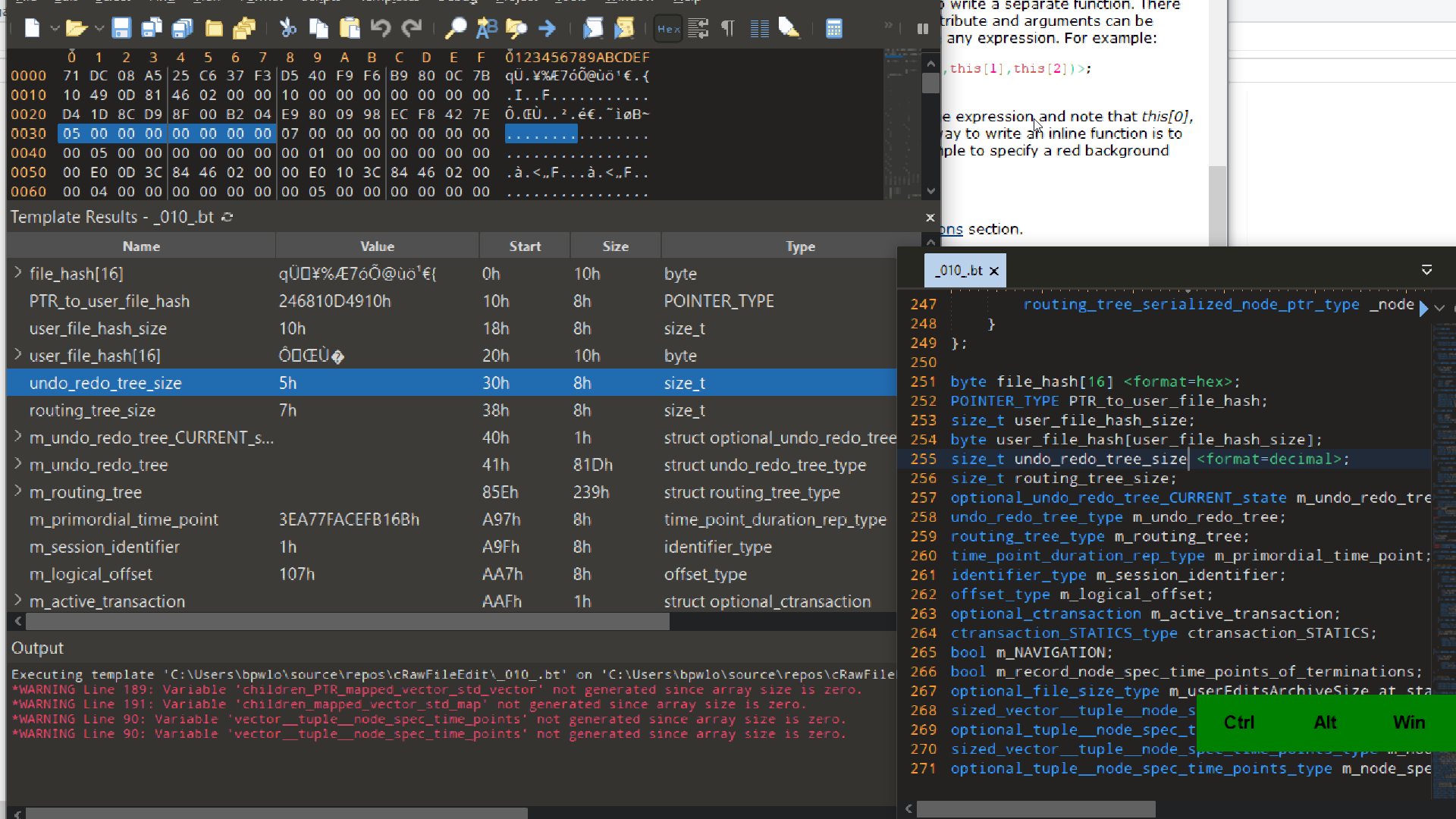
please see attached image present view of template run output window and of relevant portion of template . please note in template variable named ““undo_redo_tree_size” “<format=decimal>” is specified however in template run output window the value for the variable is displayed in hex .
also it would be of great benefit to my work if the hex format can be specified id est the number of characters .
also related i do not understand why a byte array insists on being displaced as characters.. as mentioned in a prior post random byte values if interpreted as characters can become a console control character exempli grata 0x1b is ESCAPE also a random byte value can become a comma character ‘,’ thus confusing a CSV export or even the value exactly zero confusing 010 Editor character display of said byte array field in template run output window ..
thank you kindly
The <format=decimal> option for a variable does work, but it’s possible to override this option using the Column Display Format. If you right click on the Templates Results and choose ‘Column Display Format > Value Column’ I’m guessing you will have ‘Hex’ choose in that list. You should set it to ‘Default’ to use the formats from the Template and setting to ‘Hex’ overrides the formats. If you specify a custom <read> function for a variable then that won’t be overriden by the chosen format.
You can currently only set the number of digits for a hex number by using a custom <read> function. For example, here is an int that uses 8 digits all the time:
typedef int MyInt <read=Str("0x%08X", this)>;
MyInt val;
Arrays created using ‘char’ are always assumed to be strings and the easiest way to disable the display of the string is to switch to ‘uchar’. If you need to use ‘char’ then it is possible to setup a custom read function that returns an empty string.
Graeme
SweetScape Software