Did SweetScape just accidentally create a pointer?

With the new v16 update comes a new special attribute called <pos=...>
And I realized that this is almost a pointer. Almost.

Before that, I always parsed the file as it is laid out in the binary file:

typedef struct _LmHeader
{
uint32 magic;
uint32 materialCount;
uint32 materialsPtr <format=hex, comment=“s_Material*”>;
uint32 modelCount;
uint32 modelHeadersPtr <format=hex, comment=“s_ModelHeader*”>;
} s_LmHeader;

s_LmHeader lmHeader; 

// extra parsing from here
FSeek ( lmHeader.materialsPtr );
s_Material material [ lmHeader.materialCount ];
    
FSeek ( lmHeader.modelHeadersPtr );
s_ModelHeader modelHeaders [ lmHeader.modelCount ];

But now with <pos=...> it is almost possible to parse a file like a real C struct:

uint32        magic;
uint32        materialCount;
s_Material    materials[materialCount] <pos=...”>;
uint32        modelCount;
s_ModelHeader modelHeaders[modelCount] <pos=...”>;
} s_LmHeader;

s_LmHeader lmHeader; 

You just need to do some workarounds, like:

typedef struct _LmHeader
{
    uint32        magic;
    uint32        materialCount;
    s_Material    materials[materialCount] <pos=ReadUInt(), optimize=true>; FSkip(4);
    uint32        modelCount;
    s_ModelHeader modelHeaders[modelCount] <pos=ReadUInt(), optimize=true>; FSkip(4);
} s_LmHeader;

s_LmHeader lmHeader; 

or:

typedef struct _LmHeader
{
    uint32        magic;
    uint32        materialCount;
    uint32        materialsPtr;
    s_Material    materials[materialCount] <pos=materialsPtr, optimize=true>;
    uint32        modelCount;
    uint32        modelHeadersPtr
    s_ModelHeader modelHeaders[modelCount] <pos=modelHeadersPtr, optimize=true>;
} s_LmHeader;

s_LmHeader lmHeader; 

And after that, you don’t need to do extra parsing, because you already did that in the header struct. So if not for workarounds, the BT files would look cleaner.
But the drawback is that the parsed file itself is out of order in the results screen.
So it is more confusing to look at the results.

How do you recommend parsing pointers?

Also, maybe we could think about a new pointers feature for v17?
Similar to <pos=...> maybe? Or classical * as a pointer. It would just work similarly to pos.

Also, in the result screen, it could be a hyperlink or a shortcut on a pointer that you can click on, and it sends you to the pointed variable.

And lastly, it is best to view results in order as they appear in a binary file, so maybe there could be a rearrangement button, so all variables would be arranged by the offsets?
You could always do something like this in earlier versions of 010 Editor, using FSeek:

typedef struct _LmHeader
{
uint32 magic;
uint32 materialCount;

uint32 materialsPtr;
FSeek(materialsPtr);
s_Material materials[materialCount];
FSeek(startof(materialsPtr) + sizeof(materialsPtr));

uint32 modelCount;

uint32 modelHeadersPtr;
FSeek(modelHeadersPtr);
s_ModelHeader modelHeaders[lmHeader.modelCount];
FSeek(startof(modelHeadersPtr) + sizeof(modelHeadersPtr));
} s_LmHeader;

Though it wasn’t the cleanest solution.

In my opinion, your second workaround is the better of the two, since the pointer fields are still accessible if you need to use them later on in the template, or within a script.

You could improve on it by doing something like:

typedef struct _LmHeader
{
    uint32        magic;
    uint32        materialCount;
    /* s_Material* materials[materialCount]; */ {
        uint32        materialsPtr <hidden=true>;
        s_Material    materials[materialCount] <pos=materialsPtr, optimize=true>;
    }
    uint32        modelCount;
    /* s_ModelHeader* modelHeaders[modelCount]; */ {
        uint32        modelHeadersPtr <hidden=true>;
        s_ModelHeader modelHeaders[modelCount] <pos=modelHeadersPtr, optimize=true>;
    }
} s_LmHeader;

Includes a comment showing how it was defined in the original C struct, and hides the pointer fields from the template results. If you need to debug the template later, you could instead do #define HIDDEN true and <hidden=HIDDEN>, and then change HIDDEN to false to show the pointer fields again.

As for pointers with * syntax, there would need to be consideration of how to specify the size of the pointer, since not all pointers are 32-bit.

Yes, all of these techniques work and I don’t think there is any one way that is right. Dealing with data that is accessed by a pointer is always tricky and there are decisions about whether to place the data inside the struct or outside the struct, and it just depends on how you want to view the data. Currently you cannot reorganize the data after is has been created. In the future we may be able to come up with better ways to handle data like this and we are always open to suggestions.

There is no real pointer type yet in 010 Editor where you get a nice hyperlink to jump to an address but that is something we are thinking of adding in the future. Note that right now, if you right-click on a numerical value in the Template Results ‘Value’ column, there will be an option ‘Goto Address XXX’ where XXX is the value. For example, if ‘materialsPtr’ had a value of ‘300h’ you could right-click on the value and choose ‘Goto Address 300h’.

Graeme
SweetScape Software

greetings & kind regards

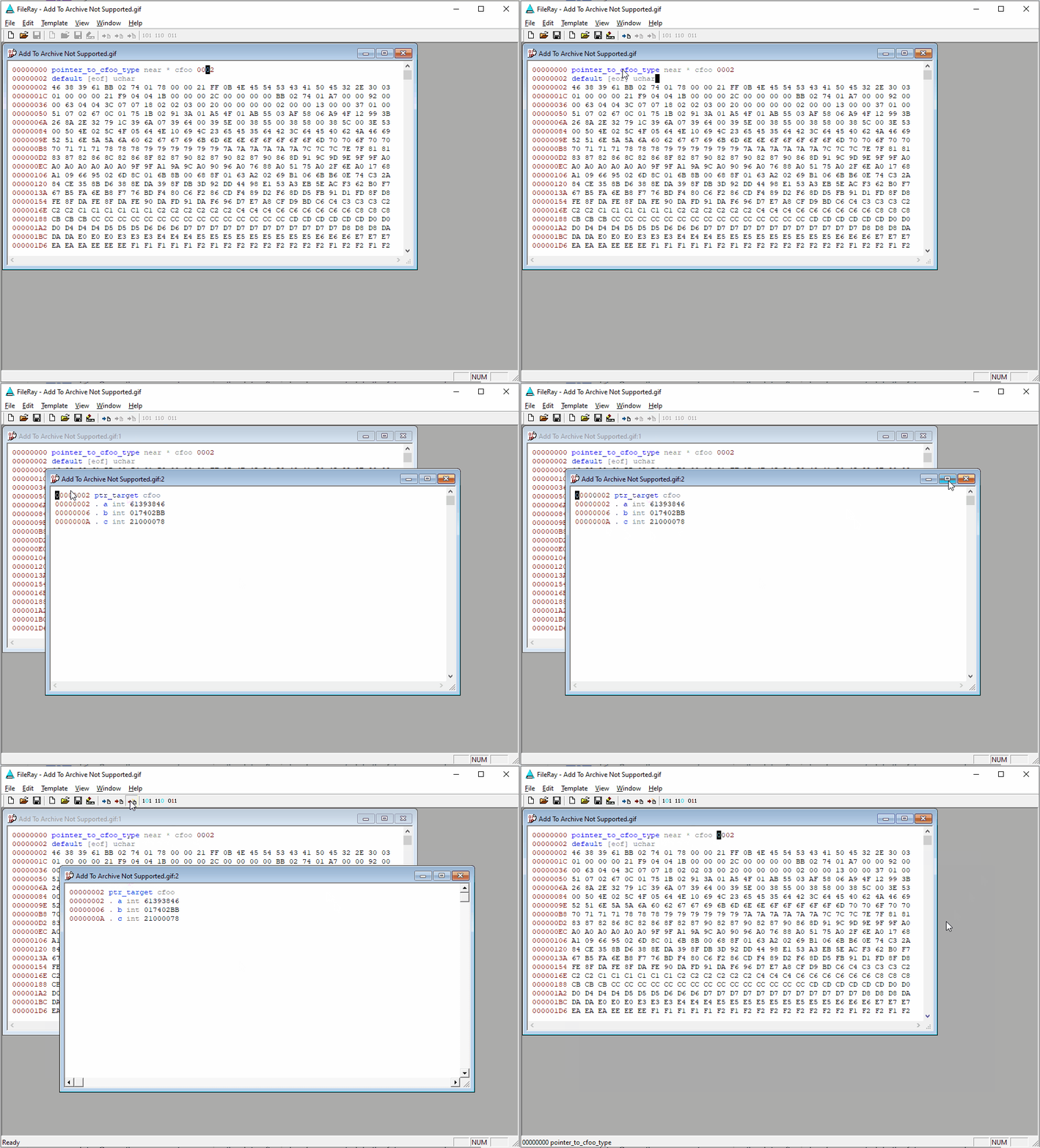
as the author of “FileRay” many years ago i had little difficulty in supporting pointers as can be seen on accompanying video . it merely required modifying a freely available C compiler to be re-entrant which was surprisingly easy

kind regards

Pointers No Problem